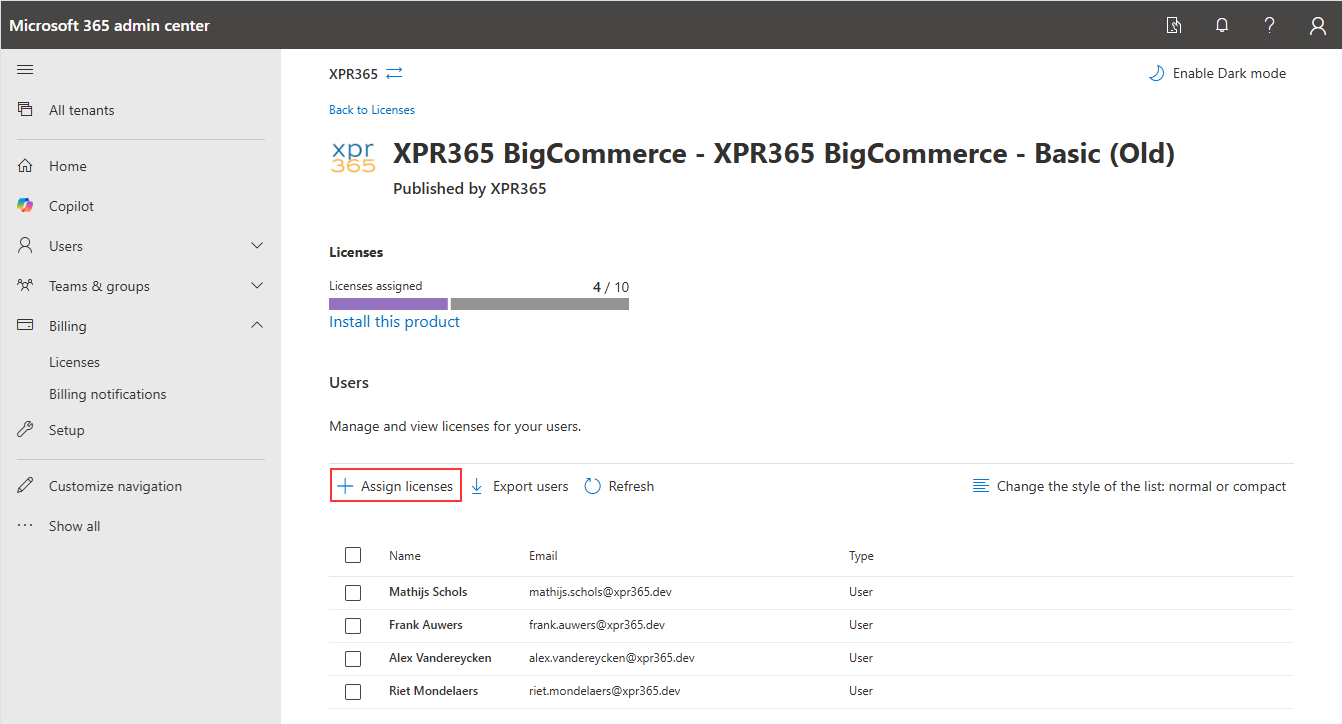
Assign licenses
To use the XPR365 apps, you need to purchase licenses and assign them to users.
Buy the license of the desired XPR365 app on AppSource or Partner Center.
For more information, see Plans and Pricing for the applicable app.
Once you have purchased a license, you can assign it to users.
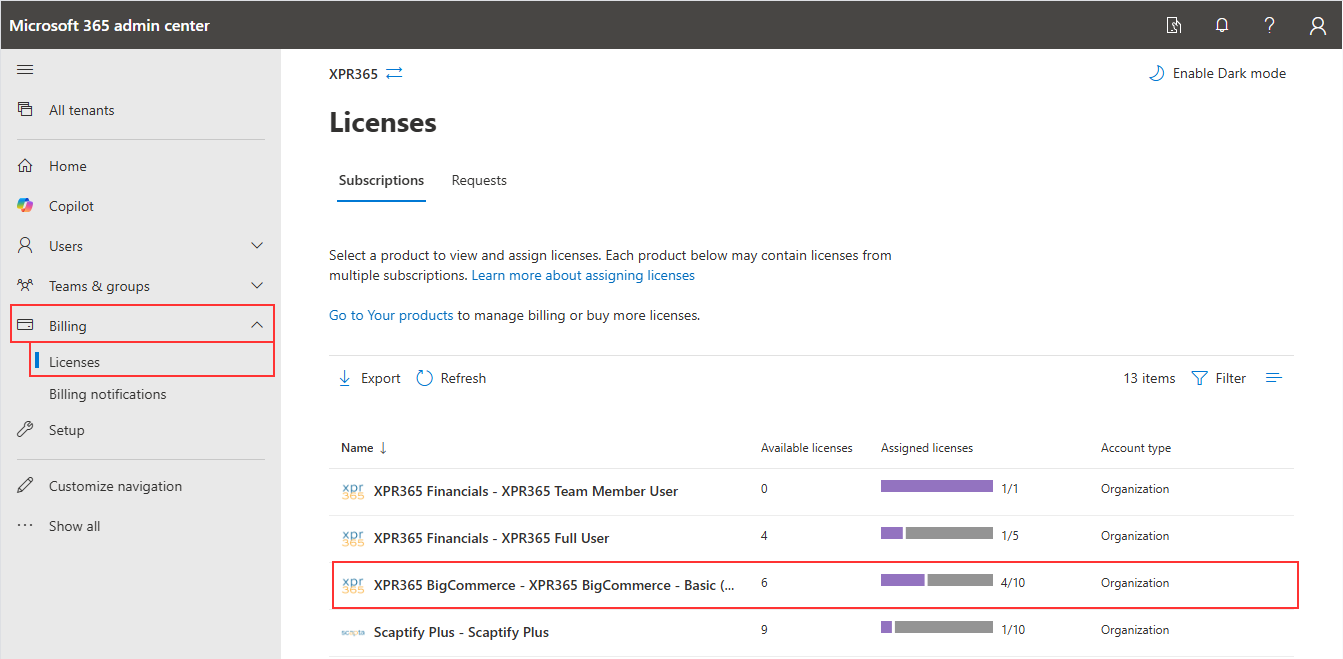
- Open your Microsoft 365 admin center.
- Choose Licenses in the Billing tab.
- Select the license you want to assign.
- Assign/Unassign licenses.