 Financials
Work with Word Layouts
A report layout controls content and format of the report, including which data fields of a report dataset appear on the report and how they're arranged, text style, images, and more. From Business Central, you can change which layout is used on a report, create new layout, or modify the existing layouts.
Word layouts are based on Word documents (.docx file type). Word layouts enable you to design report layouts by using Microsoft Word. A Word layout determines the report's content - controlling how that content elements are arranged and how they look. A Word layout document will typically use tables to arrange content, where the cells can contain data fields, text, or pictures.
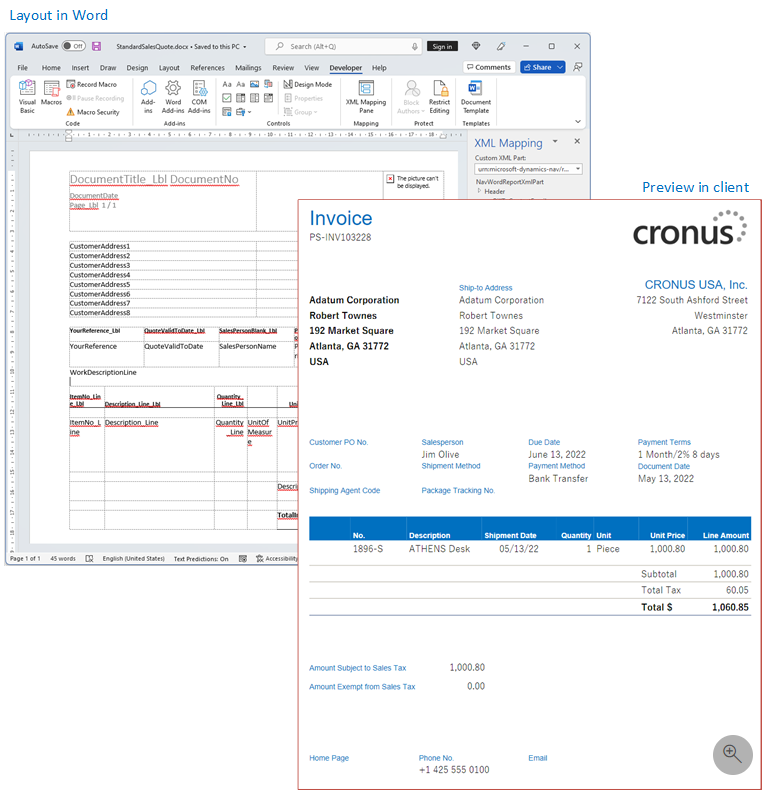
In xpr365 Financials the standard Word layouts of Business Central are extended with frequently requested adjustments. Besides the fact that you have a basis to start from, this functionality offers the advantage that both the adjustments from Microsoft and the XPR365 adjustments are available in one layout.
Set the layout from the Report Layout Selection Page
- Choose the
 icon, enter Report Layout Selection, and then choose the related link.
 Find and select the report in the list, then do the following steps:
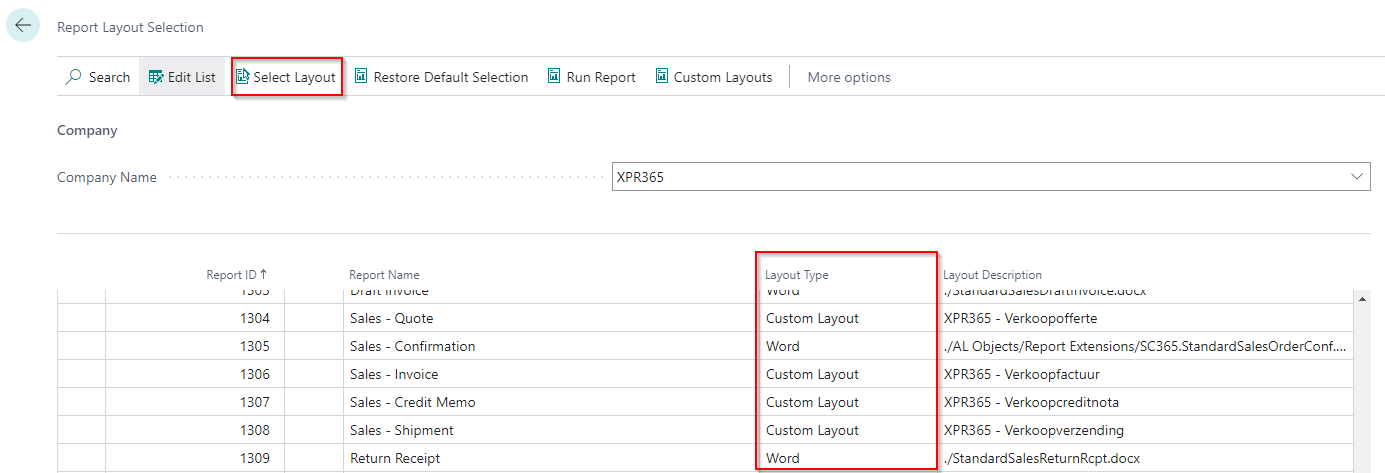
- If the Layout Type Field is different than Word, then choose the layout type Word.
- If the Layout Type Field contains Word, select the Select Layout action at the top.
In the Report Layouts Page, select the layout from extension xpr365 Financials by Scapta, then select OK.
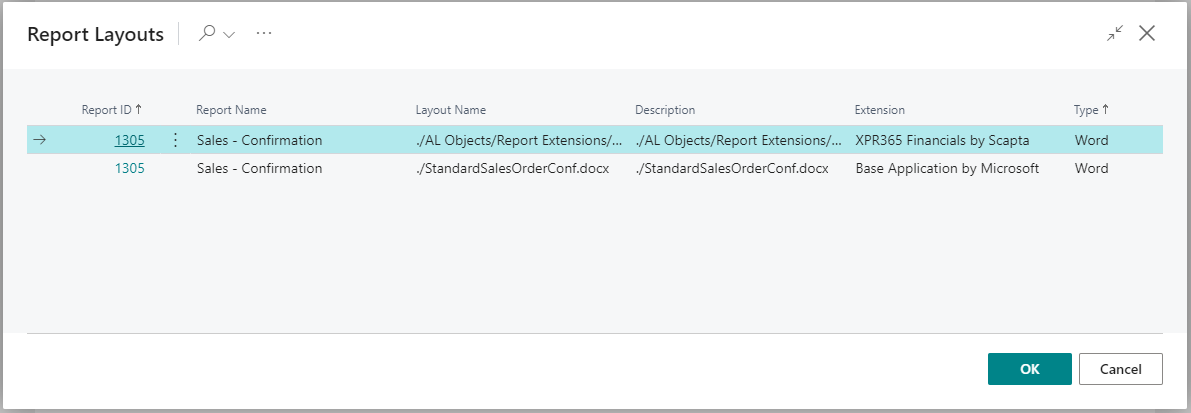
xpr365 Financials has provided an extension to the following layouts:
- 1304 Sales - Quote
- 1305 Sales - Confirmation
- 1306 Sales - Invoice
- 1307 Sales - Credit Memo
- 1308 Sales - Shipment