 Shopify Metafield Definitions
Set up Shopify Metafield Definitions
Before you can work with metafield definitions, you choose which Shopify custom app Business Central uses for the shop. This custom app is set up with the XPR365 Shopify Custom Connector.
Permissions
| Permission set | Use |
|---|---|
| Shopify Metafld Defs. Admin | Set up the app and manage metafield definitions. Users with the Shpfy - Admin permission set of the Shopify Connector automatically have this permission. |
| Shopify Metafld Defs. Read | View metafield definitions. Users with the D365 BASIC permission set automatically have this permission. |
Required access scopes
The custom app needs these access scopes in Shopify:
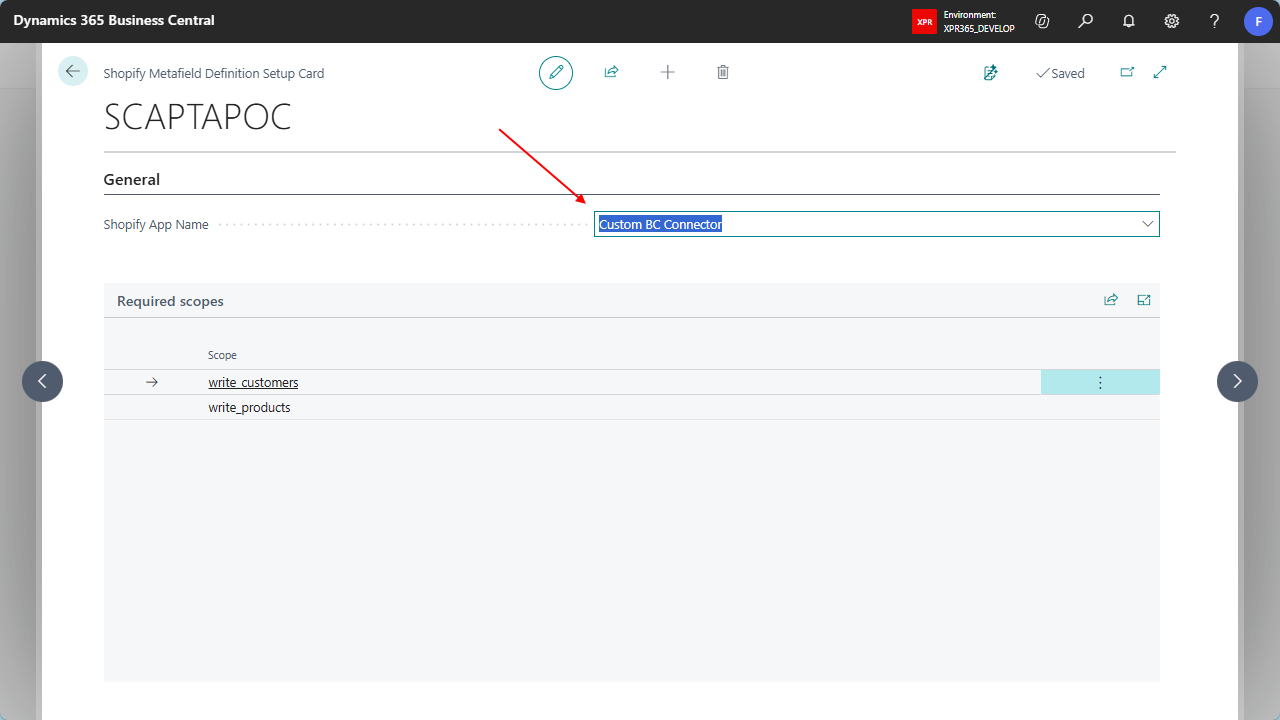
write_products, for product and product variant metafieldswrite_customers, for customer and company metafields
A write_ scope also includes the matching read_ scope. If the custom app doesn't have these scopes yet, add them in the Shopify Dev Dashboard, release a new version of the app, and then choose Connect on the Shopify Custom Apps page. For more information, see Create a Custom App in Shopify.
To set up the app for a shop
- Select Search ( Alt + Q )
 in the upper-right corner, enter Shopify Shops, and then choose the related link.
- Open the shop you want to set up.
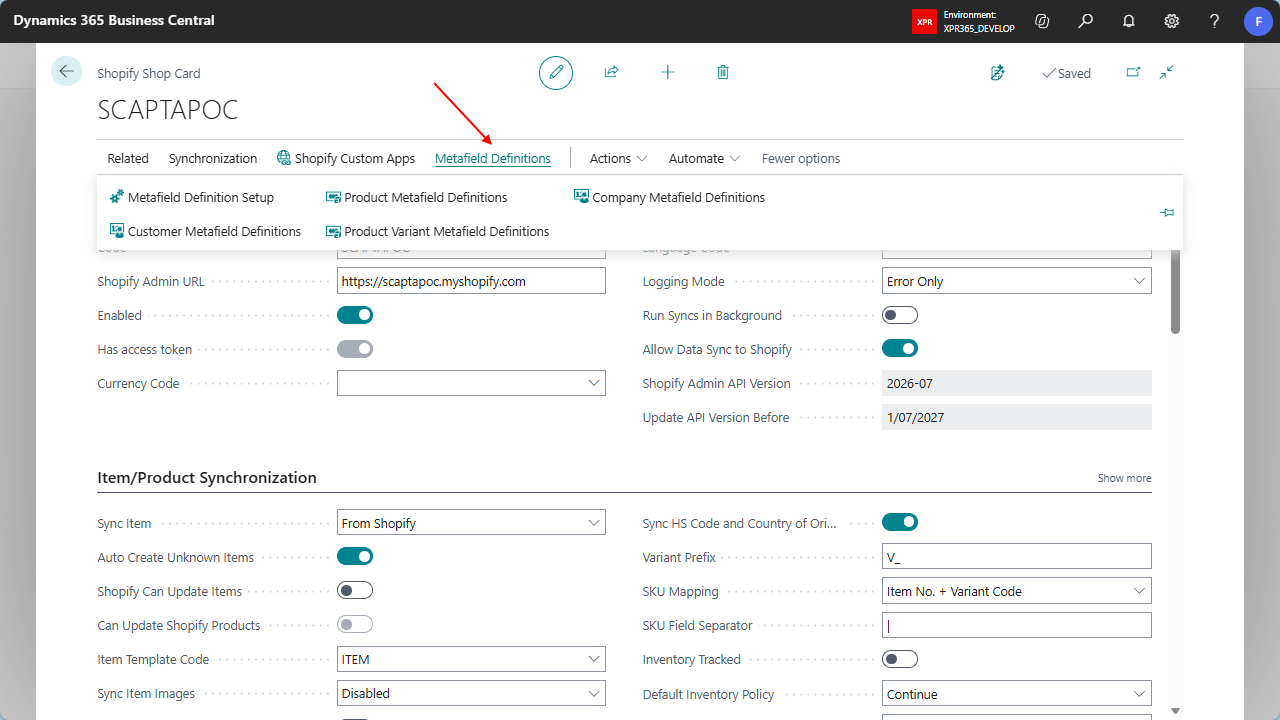
On the Shopify Shop Card, choose Metafield Definitions, and then choose Metafield Definition Setup.
On the Shopify Metafield Definition Setup Card page, in the Shopify App Name field, select the custom app that is set up for this shop.
Business Central checks that the custom app has all the scopes listed under Required scopes. If a scope is missing, you get an error message. Add the scope to the custom app in Shopify, choose Connect on the Shopify Custom Apps page, and select the app again.
You can now manage metafield definitions for the shop.